
DSC HS2TCHP Firmware Update Page
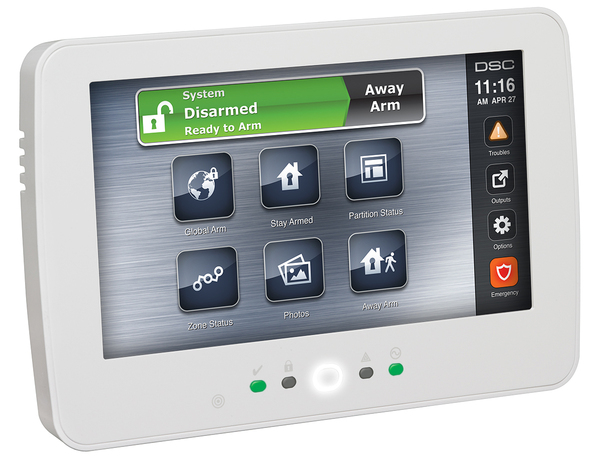
The HS2TCHP(N) touchscreen keypad must have its user interface (UI) updated before it can be used with a Qolsys IQ Pro panel. On this page, you will find the update files and the steps for installing them using an SD card. Select the "Download" button, and follow the instructions listed further down this page!
Update Details:
- Compatible Keypads: HS2TCHP(N)
- Required For: Use with a Qolsys IQ Pro panel
- Update Method: SD card

Important Compatibility Notes
This update is only for HS2TCHP(N) keypads running UI version 1.39 or lower.
- If the part number is HS2TCHPRO (version 1.40 or higher), the touchscreen will not work on an IQ Pro panel.
- Once the HS2TCHP(N) has been updated for the IQ Pro, it cannot be used on a NEO control panel.
- When the update is complete, the HS2TCHP will show the "IQPanel" logo in the top right-hand corner instead of the "DSC" logo.
Instructions for Updating the HS2TCHP(N) for Use With the Qolsys IQ Pro
Follow these steps to update the keypad using an SD card:
- Reformat an empty SD card using FAT32. The maximum compatible SD card size is 32 GB.
- Download the UI update files to your computer using the green button link above. Upon reaching the Dropbox page, select the 'Download' button. If prompted to sign up or sign in to Dropbox, choose the 'Continue with download only' option at the bottom of the prompt.
- Unzip the file and save the three files to the root directory of the SD card from Step 1.
- Insert the SD card into the bottom of the NEO touchscreen.
- Tap the "Options" icon on the right side of the screen.
- Tap "Installer Menu".
- Enter the IQ Pro's Installer or Dealer code (defaults are 1111 and 2222 respectively).
- Tap "Keypad Programming".
- Tap "Firmware Upgrade".
- Proceed and finalize the firmware update.
Important
Do not remove the HS2TCHP(N) from its backplate with the SD card in place. Doing so can damage the card slot of the keypad.