
IQ Pro - HS2TCHP(N) Touchscreen Keypad Update
Related Products
Related Categories
Document Transcript
IQPRO
–
HS2TCHP(N) UI Update
1
of
1
December
2023
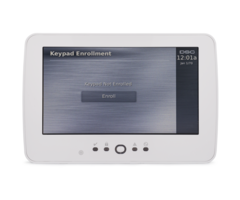
The NEO touchscreen
User Interface (UI)
on the
HS2TCHP
(N)
(v1.39 or lower) must be
updated when using t
h
e
touchscreen
on
the
I
QPRO panel.
(If the part number is
HS2TCHPRO (v1.40 or higher) the touchscreen will not work on the IQPRO panel.)
To update the HS2TCHP
(N)
for
use
on
the
IQPRO
, please
follow the
steps below:
Step 1:
Download the UI update files from:
•
https://www.dropbox.com/s/uuleaamv8z1odj4/HS2TCH%20Upgrade%20
-
%20IQ%20Pro.zip?dl=0&file_subpath=%2Fsd_fwu_iqpro_with_logo
Step 2
: Unzip and save the
three files to a blank SD card
.
➢
Tech Tip:
Reformat
an empty SD
c
ard as Fat32
.
SD card size
:
32 GB max
.
Step 3:
Place the files in the base directory of the SD card
.
Step 4:
Insert the SD card into the bottom of the NEO Touchscreen
.
Step 5:
Tap the ‘Options’ icon on the right side of the screen
.
Step 6:
Tap ‘Installer Menu’
.
Step 7:
Enter the IQPRO’s Installer/Dealer code (defaults were 1111/2222)
.
Step 8:
Tap ‘Keypad Programming
’
.
Step 9:
Tap ‘Firmware Upgrade’
.
Step 10:
Proceed
and
finalize
the
f
irmware update.
➢
Tech Tip:
W
hen complete, the HS2TCHP will have the ‘IQPanel’ logo at the top
right
-
hand corner
,
instead of
the
‘DSC’
logo
.
➢
Tech Tip:
To utilize the HS2TCHP(N) on the I
QPRO panel, the
UI
firmware must
be
updated.
Once the HS2TCHP(N) has been updated, it cannot be
used
on a NEO control panel.
➢
Tech Tip:
DO NOT remove the
HS2TCHP(N)
from
its
backplate with the SD card
in place.
Or y
ou too
,
will damage the
card slot
of the keypad.
- Uploaded