
Qolsys TSB# 250609 - Qolsys IQ Panel 4 4.6.1 Firmware Release - Dated 06/09/25
Related Products
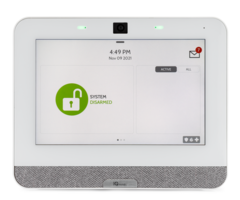
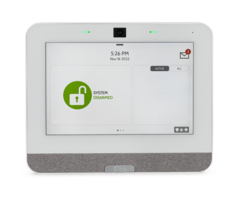
Document Transcript
TSB #:
250609
DATE:
06/09/25
RE:
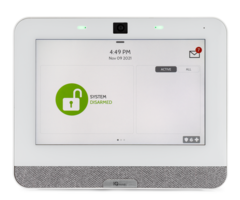
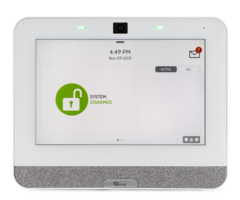
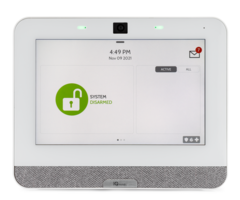
IQ Panel 4/IQ4 HUB/IQ4 NS - 4.6.1 SOFTWARE UPDATE
RELEASE NOTES & UPDATE INSTRUCTIONS
Release Notes:
New Features:
•
Added support for new PowerG+ devices
•
PGPx303 (Thin Door/Window)
•
PGPx945E (Door/Window w/Aux)
•
PGPx914 (Motion)
•
PGPx922 (Glass Break)
•
PGPx920 (Repeater)
•
PGPx934P (PIR CAM)
•
PGPx976 (Smoke Detector)
•
PGPx986 (Water Tile)
•
PGP-IOx (PowerG PGM Module)
•
PowerG + 3-Way Switch and Dimmer
•
Added support for new PowerG+ Features
•
Dealer LockDown
•
Battery gauge reporting to Alarm.com
•
Dirtiness level for the new PGPx976 Smoke Detector
•
Added support for Analytic Video event thumbnails to be displayed directly on the IQ Panel 4 / IQ4 Hub UI
•
Added support for Analytic Video events to be annunciated directly on the IQ Panel 4 / IQ4 Hub UI
•
Added support to allow the Installer, Dealer or Admin to select two PowerG / PowerG+ devices that can report
ambient temperature and show those temperatures on the Panel UI and Weather clock
•
Added Silent Disarming icon when system armed in stay
•
Added a new Water Valve jam state for specific Z-wave shut off valves
•
Added support for Dark Mode on IQR-PG (IQ Remote PG) – configurable per device
•
Added lock screen support for IQR-PG (IQ Remote PG) when paired via PowerG
•
Added support to the IQR-PG (IQ Remote PG) for video streaming when paired via PowerG (Remote must be
paired via PowerG and then connected to a WiFi network)
•
Added the ability for end users to drag and adjust the order of devices on the lighting page
•
Added an option to allow life safety device troubles to be muted on the panel during NightTime mode
•
Added a new option to enable/disable Bluetooth audio (individual device setting)
•
Added a new bypass attribute when creating a user locally on the panel (requires secure arming to be enabled)
•
Added a new 60-minute option under Installer Test Mode
•
Added support to hide Z-wave end points when required
•
Added Commercial naming options for Automation devices
•
Added programming option to support the ability to disable the tamper on IQ Hardwire PowerG
(PGxWLSHW8/PGxHRDW8) & PGP-IOx modules
continued on Page 2...
TECHNICAL SERVICE BULLETIN
IQ Panel 4/IQ4 HUB/IQ4 NS - 4.6.1 SOFTWARE UPDATE - RELEASE NOTES ...continued from Page 1
•
Added support when utilizing the IQ Hardwire PowerG (PGxWLSHW8/PGxHRDW8) & PGP-IOx groups
defined as silent will activate the siren output for use with a strobe
•
Added remote support for Z-Wave device OTA
•
Added virtual device support for Ecobee thermostat to the IQ Panel 4 / IQ4 Hub UI
•
Added IQ Remote-PG support for EN Grade 2 Certifications
Fixes/Improvements:
•
Improved ease of use when dimming light modules on the panel UI
•
Improved user code access to WiFi screen (EN Grade2)
•
Updated shade icon
•
Changed wording on panel UI for “swap” to “replace”
•
Enhanced annunciations when partitions enabled
•
Corrected an issue where the panel siren may not sound for severe weather alerts
•
Corrected an issue where the panel could switch to stay when arming away
•
Updated Z-Wave firmware from v7.15 to v7.18 improving large network performance
•
Re-enabled group 50 that will allow SBTM service from alarm.com and report signals to central stations
•
Corrected an issue where remote arm commands were not working for EN Grade2 panels in specific scenarios
Update Instructions:
Compatibility Note: Your IQ Panel must be on software version 4.4.0 or higher and connected to WiFi to install
this updated wirelessly.
For any Panels below 4.4.0 – please review the software update instructions located at
SOFTWARE DOWNLOADS - Qolsys
1- Swipe down from the top of the screen and touch “Settings"
2- Touch “Advanced Settings”
3- Enter a valid installer code (default is 1111)
4- Touch "Upgrade Software"
5 -Touch “Patch Tag” and enter the patch
iqpanel4.6.1
then touch OK
6- Touch "Upgrade Using Network" (Panel must be connected to Wi-Fi).
Update will download and install
7- Once complete touch "OK" to reboot the Panel.
DO NOT TOUCH THE SCREEN.
The update process will take
approximately 5 minutes. After the Panel reboots the home screen will appear and the LED will turn green.
TECHNICAL SERVICE BULLETIN
IQ Panel 4/IQ4 HUB/IQ4 NS - 4.6.1 SOFTWARE UPDATE - RELEASE NOTES
- Uploaded