
Qolsys IQ Panel 4: Registering the SIM
Related Products
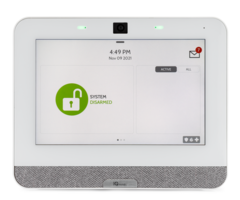
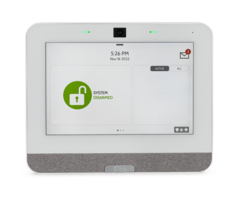
Related Categories
- Burglar Alarm Systems
- Wireless Touchscreen Alarm Panels
- Smart Home Controllers
- DIY Wireless Security Systems
- Burglar Alarm Systems
Description
Need to find the IMEI number on your Qolsys IQ Panel 4? In this video, Dylan from Alarm Grid shows you exactly where to locate it so you can provide the number to your monitoring company. The IMEI is required for Alarm.com registration and account activation, making this one of the first steps in setting up your security system.
🔔 Subscribe to our channel for more professional DIY alarm tutorials: https://www.youtube.com/channel/UCGOvn2SeM8RKX6DHObCGFPA
The Qolsys IQ Panel 4 comes with both LTE cellular and WIFI communicators. Cellular is required for Alarm.com service, but WIFI is highly recommended—it's the only way the panel can receive critical over-the-air firmware updates. Without WIFI, you’ll miss out on important performance and security improvements.
With traditional alarm companies, an installer usually takes care of registration for you. But at Alarm Grid, we do things differently. As a DIY security provider, we believe you should understand your own equipment. The more you know about your system, the more confident you’ll be using it every day.
👉 Learn more with our step-by-step FAQ guide: https://www.alarmgrid.com/faq/how-do-you-register-the-sim-on-a-qolsys-iq-panel-4
http://alrm.gd/get-monitored
#securitysystem #securitytechnology #alarmsystems #diyalarmsystem
Transcript
Hey, DIYers. Dylan here with Alarm Grid. Today we're going to review how do I register the SIM on the IQ4 panel. So what the SIM card is the system has a built in cellular based communicator. That's going to be used to get your system registered for monitoring, and also to get connected with the alarm.com service. To get this registered, you need to contact an alarm company. You can't set up a alarm.com yourself.
So you'd contact an alarm company. You're going to provide them with the IMEI number from the system. You can access that through the programming screen, or it's also on the back of the panel as well. I'm going to show you closer up on how to access both. And then once you provide your alarm company with that number, that's where they're going used to register the SIM, and then connect this for monitoring.
So we have the IQ4 panel here. We have contacted an alarm company to get this registered so it can be set up for monitoring in the alarm.com service. And what they need from us is the IMEI number. So I'm going to first show you how to access it through the menu. But you can also view that from the back of the panel as well. So through the menu you press the top gray bar, settings, advanced settings, 1111, is the default installer code, about, and then cellular because that's our primary path of communication. And then we have the IMEI number listed right there.
So you'll want to take the number that's listed there-- it's going to be different for your panel-- and then provide that to your monitoring company. They're going to then use that to get the panel registered and set it for monitoring. So another option is to view it from the back. So if you have this wall mounted, you want to take it off the wall mount, Or if you have it installed it yet, just turn the panel around. It's going to be on the back of the mounting plate here. IMEI number is on the bottom left.
So it's the same number that we saw through the menu. So either way just write down the number that's listed here or through the menu, and either option is going to be what your alarm company needs. So once they get that registered, they will set you up with an alarm.com account and they're going to send you that login info. And then yeah, your system will be ready for monitoring. And then you can access it remotely through alarm.com as well.
So that's how you access the IMEI number so you can get the SIM registered for your IQ4 panel. Again, you have to contact the alarm company so they can get that registered for you. Just provide them with that IMEI number that you found either through the menu settings or through the back of the panel.
If you did like the video, please like the video. Subscribe to our YouTube channel and hit the bell icon to be notified about any future videos we release. If you had any questions for us, our phone number is 888-818-7728. Our email address is support@alarmgrid.com. And if you come to our website, www.alarmgrid.com, we have a live chat option on there as well. Again, my name is Dylan from Alarm Grid. And thank you for watching.
- Uploaded