
How Do I Connect My iPhone to a 2GIG GC Touch Security Panel?
To connect your iPhone to the 2GIG GC Touch, download the Alarm.com app from the App Store and log in with your account credentials. The app provides remote access to arm and disarm your system, control devices, and receive alerts. You can also pair via Bluetooth for hands-free disarming.
Connecting via the Alarm.com App
The primary way to connect your iPhone to the 2GIG GC Touch (available in AT&T LTE and Verizon LTE versions) is through the Alarm.com mobile app. This app provides comprehensive remote access to your security system from anywhere with an internet connection. Before you can use the app, your panel must be enrolled with an Alarm.com monitoring plan that includes interactive services.
Steps to Set Up the Alarm.com App
-
Download the Alarm.com app. Open the App Store on your iPhone, search for "Alarm.com" and download the free app.
As seen in the Apple App Store: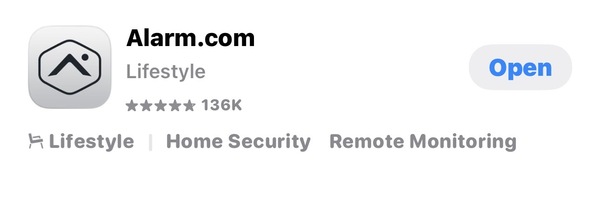
- Open the app and log in. Launch the Alarm.com app and enter your username and password. You should receive a welcome email from your monitoring company that shows your username, usually your email address, and allowing you to create your password.
- Enable notifications. When prompted, allow the app to send notifications. This ensures you receive real-time alerts for alarms, sensor activity, and system events directly on your iPhone.
- Verify your system connection. The app should display your GC Touch panel and its current status. You can now arm and disarm the system, view sensor status, control home automation devices, and access event history from your device.
Bluetooth Disarming
The 2GIG GC Touch also supports Bluetooth pairing with your iPhone for the Bluetooth Disarm feature. When enabled, the panel automatically disarms when your paired iPhone comes within Bluetooth range, allowing you to enter your home without manually interacting with the system. This feature requires the panel to be connected to AC power with Bluetooth enabled.
Steps to Pair Your iPhone via Bluetooth
- Access User Management on the panel. Tap Settings (gear icon) on the GC Touch home screen, enter the Master Code (1111 by default), then navigate to User Management.
- Select a user to pair. Tap on your user account in the Standard Users list. The user details screen shows a Bluetooth Disarm field that displays "Not set" if no device is paired.
- Initiate Bluetooth pairing. Tap the Edit icon next to "Not Set" in the Bluetooth Disarm row. A "Pairing Mobile" window appears on the panel screen.
- Enable Bluetooth on your iPhone. Open Settings on your iPhone, tap Bluetooth, and ensure Bluetooth is turned on. Your iPhone should appear as a discoverable device.
- Complete the pairing. Select your iPhone from the list of available devices on the panel. Accept the pairing request on both devices when prompted. The panel will confirm successful pairing by showing your iPhone name in the Bluetooth Disarm field.
Configuring Bluetooth Disarm Settings
After pairing, you can adjust the Bluetooth Disarm Timeout setting to control how long the panel waits after arming in Away mode before allowing Bluetooth disarm. This prevents accidental disarming while you're leaving and still within Bluetooth range. Access this setting through Settings, then Installer Settings with the Installer Code (1561 by default), then Bluetooth Management, and finally Bluetooth Settings.
Connecting your iPhone to the 2GIG GC Touch provides convenient remote access and hands-free control of your security system. The Alarm.com app handles full system management from anywhere, while Bluetooth pairing offers effortless disarming from Away Mode when arriving home. For help connecting your iPhone to your GC Touch panel, contact the Alarm Grid support team.
You can email support at support@alarmgrid.com. Our support team is available Monday - Friday from 9:00 AM to 8:00 PM Eastern Time. You can also visit our website and chat with a live support agent between 9:00 AM and 6:00 PM Eastern Time. Our support number is 888-818-7728 for Alarm Grid customers who need more in-depth assistance.
Did you find this answer useful?
We offer alarm monitoring as low as $10 / month
Click Here to Learn MoreRelated Products


Related Categories
- Apartment Security Systems
- Small Business Security Systems
- Monitored Home Security Systems
- DIY Wireless Security Systems
- Answered