
How Do I Find the IMEI Number on the IQ5 NS Security System?
To find the IMEI number on the IQ5 NS, check the sticker on the back of the panel or on the original packaging. You can also connect to the panel using the IQ Installer mobile app and navigate to Config > About, where the IMEI is clearly listed under the cellular information details section.
What Is the IMEI and Why Do You Need It
The IQ5 NS (available in AT&T LTE and Verizon LTE) is a screenless security system that communicates over WIFI and LTE cellular. The IMEI (International Mobile Equipment Identity) is a unique 15-digit number that identifies the cellular radio inside the panel. You will need the IMEI if you plan to activate monitoring service, or troubleshoot cellular connectivity. The IMEI is specific to the panel and its cellular communicator and cannot be changed.
Method 1: Check the Sticker on the Back of the Panel
- Access the back of the panel. Remove the IQ5 NS from the wall to access the sticker on the back of the unit. The IQ5 NS mounts on a backplate. Loosen the set screw on the bottom edge of the panel then pull the bottom edge of the panel forward to remove it from the backplate.
-
Find the label. The white label is located on the back of the panel, usually in the lower left corner. The label includes the panel's model number, part number, serial number, IMEI, and other device information.
- Find the IMEI on the label. The IMEI is a 15-digit number. Write it down or take a photo before remounting the panel.
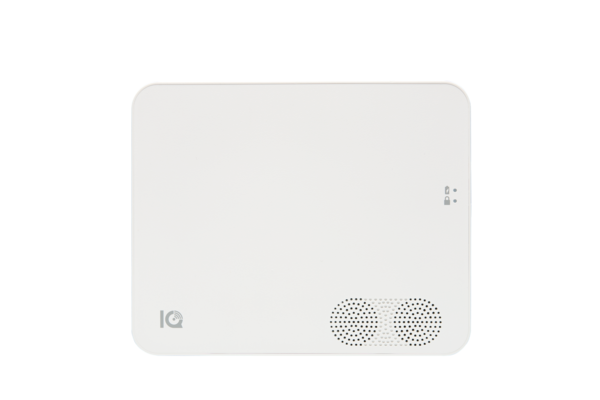
IQ5 NS front exterior view
Method 2: Check the Original Packaging
The panel's original packaging has a label on the outside with the IMEI and serial number printed on it. If you kept the box, this is a quick alternative to checking the back of the panel.
Method 3: Find the IMEI Through the IQ Installer App
- Connect to the panel. Open the IQ Installer app and connect to the IQ5 NS panel. The Configuration menu opens in the app.
- Check panel info. Navigate to Config, then select About. The About page opens showing system information for the IQ5 NS.
- Find the IMEI info. The IMEI number can be found in the cellular information section of the About page. It's listed alongside the firmware version, hardware version, cellular carrier, and signal strength.

IQ5 NS QR code scanned to connect the IQ Installer app

IQ5 NS About page in the IQ Installer app
Method 4: Find the IMEI Through Alarm.com
If the IQ5 NS is already activated with Alarm.com, the IMEI is accessible through the Alarm.com dealer portal under the account's device information. Contact Alarm Grid or your monitoring provider and they can pull the IMEI from the account. You can also expand your system with Z-Wave and other home automation devices once your cellular service is active.
There are multiple ways to find the IMEI on your IQ5 NS whether the panel is mounted or still in the box on the IQ5 NS. For help with finding the IMEI or other configurations or other configurations on your IQ5 NS, contact the Alarm Grid support team. We are here Monday through Friday from 9:00 AM to 8:00 PM Eastern Time. Email us at support@alarmgrid.com, call us at 888-818-7728, or visit our website and chat with a live support agent.Did you find this answer useful?
We offer alarm monitoring as low as $10 / month
Click Here to Learn More- Answered