
How do I integrate a PRO Series Alarm with Control4?
To pair a PRO Series panel with Control4, you must meet certain prerequisites. Once they are met, you can pair the PRO Series panel through Control4’s Simple Service Discovery Protocol (SDDP), reserve its IP address, and complete setup in Composer Pro. Once completed you're ready to automate.

Why does Control4 certification matter?
Resideo’s official certification with Control4 brings peace of mind to both homeowners and installers. For homeowners, it means effortless smart home experiences, like walking into a room with a motion detector where, upon motion being sensed the TV turns on, the lights dim, and the blinds close. For dealers and installers, it means no more workarounds. Instead, they can rely on tested, supported drivers that make installation smoother and support calls less frequent.
Prerequisites:
- Control4 OS 4.1.0+ and Composer Pro software
- PRO Series firmware version 03.2476.183 or higher (Check your panel version)
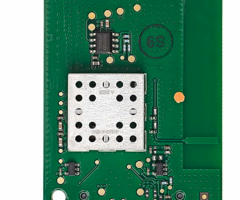
- PRO Series panel with a PROWIFI or PROWIFIZW communicator installed
- All partitions and zones configured before pairing (you can adjust later if needed)
- Control4 feature enabled by your alarm dealer via AlarmNet360 (Packages > Smart Home > Add-Ons > Control4)
- Panel and Control4 system connected to the same router/network
Important Network Note
Control4 relies on SDDP to find the PRO Series panel, but after initial setup the panel’s IP address must remain the same for the integration to continue working. Because setting a static IP directly on the panel can be tricky, the best option is to reserve the IP through your router’s DHCP settings. Depending on your router, this may be called:
- DHCP Reservation – Netgear, ASUS, TP-Link
- Address Reservation – D-Link
- IP Reservation – Linksys, Spectrum, Xfinity
- Reserved IP Address – AT&T, Verizon
Steps to Integrate a PRO Series Panel with Control4
- Initiate discovery. In Composer Pro, go to System Design > Items > Discovered and locate the PRO Series driver. Control4 knows what driver is needed because the PRO Series panel, using SDDP, is announcing its presence over the network.
- Create association. Double-click the driver to download it. Composer Pro will then associate the driver with the panel’s IP address.
- Start pairing. In Composer Pro, go to Actions > Start Pairing. You’ll have 120 seconds to complete pairing. If time runs out, simply restart this step.
- Pair the PRO panel. On the panel, tap Menu (≡) > Tools > Installer Code (4112 default) > Control4 Controller > Pair to Control4 Controller. If the pairing is successful, the Control4 Controller information will automatically populate. If pairing fails this field will remain blank. If you find yourself in this position, be sure you've met all of the prerequisites and repeat steps three and four.
Completing the Integration
- Verify partitions. In Composer Pro, check Properties to make sure partitions are imported and reporting their status correctly.
- Import zones. From Advanced Properties, select Get C4 Contacts to update and display PRO Series zones. Retrieving this information can take a minute, so be patient.
- Check visibility. In Composer Pro, go to PRO Series > Properties > Navigator > Security and confirm partitions are set to Visible. If a partition is showing as Hidden that should be visible, then select Modify and move that partition from Hidden to Visible. Then use File > Refresh Navigators to update.
- Test operation. Use the Control4 app or touchscreen to arm/disarm, view partitions, and check zones by walking around and triggering sensors. Make sure that the status updates within Control4 as you do so.
Additional Benefits
Unlike with some forms of automation, Control4 integration supports importing life-safety zones, such as fire and carbon monoxide. This opens the door to advanced life-safety automations. For example, turning off HVAC, unlocking doors, and turning on specific lights during a fire alarm to help guide occupants toward exits. Combined with the reliability of Resideo’s PRO Series, the result is a premium, fully unified smart home experience that’s both secure and convenient.
Did you find this answer useful?
We offer alarm monitoring as low as $10 / month
Click Here to Learn MoreRelated Products



Related Categories
- Home Automation
- Home Automation
- Home Automation Controllers
- Touchscreen Alarm Panels
- Wireless Touchscreen Alarm Panels
- Touchscreen Alarm Panels
- Answered
- Answered By
- Julia Ross