
How Many Z-Wave Thermostats Can the IQ5 Hub Support?
The IQ5 Hub supports up to 40 Z-Wave thermostats. This device limit is set in the Z-Wave Settings menu and can be adjusted by an installer. You can control all connected thermostats directly from the panel touchscreen or remotely through the Alarm.com mobile app on your smartphone.
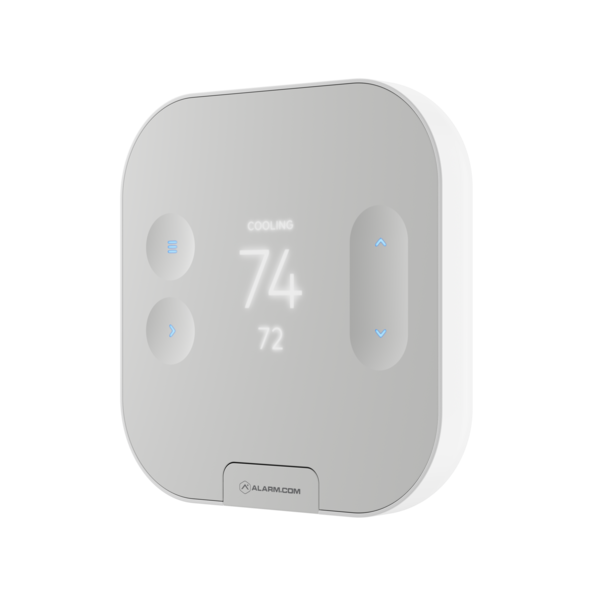
Alarm.com Smart Thermostat with Z-Wave Plus.
The Qolsys IQ5 Hub, available in AT&T LTE and Verizon LTE versions, is a powerful security panel with full Z-Wave Plus support for home automation devices, including thermostats. The panel communicates with Z-Wave thermostats using the built-in Z-Wave Plus radio. It includes support for Z-Wave 800 Series and Z-Wave Long Range (ZWLR) allowing you to create an integrated smart home system. Once connected, thermostats appear on a dedicated thermostat page that you can access by swiping left or right through the home screen pages.
Z-Wave Device Limits
The IQ5 Hub supports a maximum of 40 Z-Wave thermostats by default. This is part of the overall Z-Wave device allocation that includes 80 lights, 20 door locks, 21 miscellaneous devices, and 6 garage doors. The total Z-Wave network can support up to 167 devices across all categories. These limits are configurable through the installer menu, though most residential installations will never approach the default maximum thermostat count.
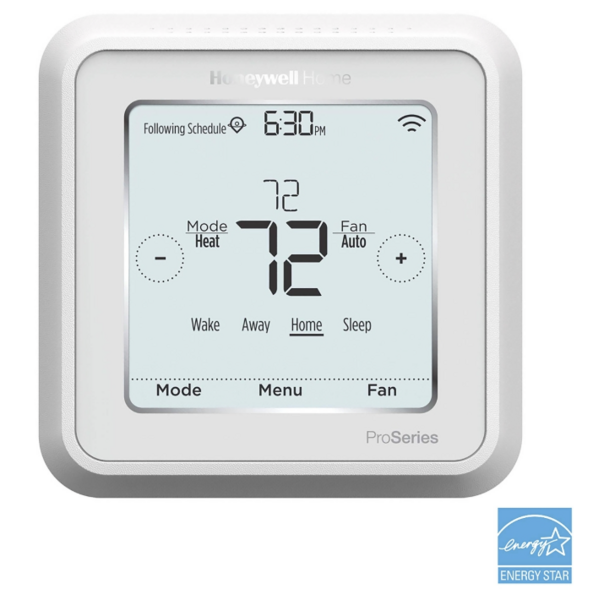
The Honeywell T6 Pro Z-Wave Plus Thermostat
Thermostat Control Features
When you add Z-Wave thermostats to your IQ5 Hub, a dedicated thermostat page appears on the panel. The options available may differ depending on the thermostat being used. Generally, from the thermostat page you can adjust the target temperature using up and down arrows, switch between Heat, Cool, Auto, and Off modes, control the fan to run continuously or automatically, and view the current temperature and battery level. If you have multiple thermostats, swipe up and down on the thermostat page to move between them.
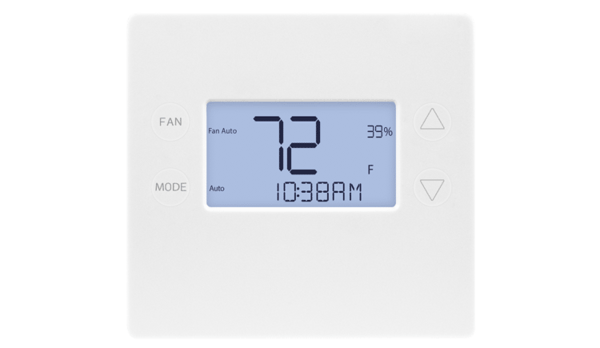
2GIG STZ-1 Z-Wave Plus Thermostat
Remote Access Through Alarm.com
With an Alarm.com account and compatible monitoring plan, you can control your thermostats from anywhere using the Alarm.com mobile app or website. The app displays all connected thermostats and allows you to adjust temperatures, change modes, and set schedules remotely. This is especially useful for energy management when you are away from home or want to adjust the temperature before arriving back home. You can also create automations based on security system status, or set a schedule.
Compatible Thermostats
The IQ5 Hub works with Z-Wave compatible thermostats from manufacturers including Honeywell, Trane, 2GIG, Alarm.com, and others. When selecting a thermostat, ensure it supports Z-Wave or Z-Wave Plus protocols for guaranteed compatibility. Z-Wave Plus devices offer improved range and battery life. The panel supports both battery-powered and hardwired thermostats, depending on your HVAC system requirements.
Please note that battery-powered Z-Wave devices, including thermostats, do not act as repeaters for Z-Wave signals. That means if your Z-Wave mesh network is large or unusually spread out, you won't be able to rely on a battery-powered device to help Z-Wave signals reach far away nodes or the controller. Be sure to have at least one plug-in or hardwired Z-Wave device in any remote areas to assist you in maintaining a strong mesh network.
The IQ5 Hub supports up to 40 Z-Wave thermostats, providing extensive climate control for large homes or commercial applications. Consider integrating with a complete security system and home automation setup for full protection. For help adding thermostats to your IQ5 Hub, contact the Alarm Grid support team. We are here Monday - Friday from 9:00 AM to 8:00 PM Eastern Time. Email us at support@alarmgrid.com or call 888-818-7728.
Did you find this answer useful?
We offer alarm monitoring as low as $10 / month
Click Here to Learn MoreRelated Products



Related Categories
- Home Security Systems
- Home Security Systems
- Touchscreen Alarm Panels
- Touchscreen Alarm Panels
- PowerG Control Panels
- Answered