Choosing an alarm monitoring plan can feel overwhelming with options for central station service, self-monitoring, automation, and video surveillance. This guide explains Alarm Grid monitoring plans clearly so you can compare features and choose the service that fits your home or business.

What is Alarm Monitoring?
Alarm monitoring is a service that allows a security system to send signals when alarms, troubles, or other system events occur. Depending on the plan, those signals may go to a central monitoring station, an interactive service platform where it is forwarded to the end use, or both.
Without monitoring, a system can still sound sirens locally. But if you are away from the property, a local alarm may not be enough to alert you or request help.
Monitoring can provide off-site alerts, remote system control, and automatic emergency dispatch. Some centrally monitored customers may also qualify for a homeowner's insurance discount with a Certificate of Alarm.
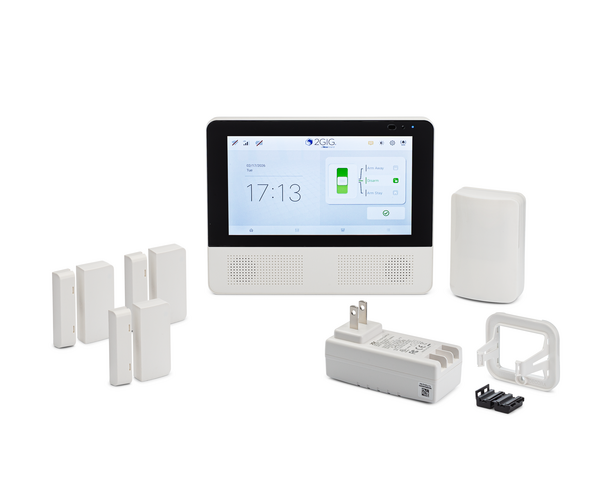
What is a Central Monitoring Station?
A central monitoring station is a facility where trained dispatchers respond to incoming security system alarms and other signals. When an alarm signal is received, the dispatcher can see the alarm type and the location of the protected premises.
Alarm signals may include burglary, fire, medical, carbon monoxide, panic, and other emergency events. The dispatcher follows a set of instructions for the account, including attempting to contact the end user, before requesting dispatch, unless account notes or local rules require a different procedure.
In most cases, the central station will attempt to verify the alarm before dispatching authorities. The user may need to answer the phone and provide their false alarm passcode to cancel a false alarm.
If the user cannot be reached, or the user contacted cannot provide the correct false alarm passcode, or gives a duress code, the central station operator will request dispatch. Some areas may also have special rules, such as verified response requirements.
Alarm Grid customers in the United States who choose central station monitoring are connected with Criticom Monitoring Services. CMS operates three networked monitoring centers in Florida, New Jersey, and California. If one center is affected by a major event, signals can be rerouted to another center.

Our Canadian customers who choose central station monitoring have their signals sent to Rapid Response Monitoring Service. You can learn about Rapid Response in their own words: "Deploy the definition of multi-redundancy. Two bicoastal, hardened Command Centers and one secure, hosted Customer Care Center stand ready to serve you 24/7/365. Our headquarters Command Center, home to our original monitoring & data center, is based in Upstate NY. Our redundant Command Center, full-load capable monitoring & data center, is based in Southern California. Our operations branch out in a hub-and-spoke model to include our secure, hosted Customer Care Center in Southern Nevada".
In addition to their load sharing capabilities, Rapid Response also has impressive power capabilities: "Through our digitally-controlled CATERPILLAR diesel generators, Rapid Response has enough private power generation at each of our Command Centers to equivalently power 30 homes for 30 days. Power generation is ensured by months of on-site fuel storage in independent redundant tanks.
Electricity runs through multiple enterprise-scale UPS (uninterruptible power supply) battery banks with digital switching controls to eliminate gaps between grid failure and generator spinup. Combined with quad-bus wiring to every piece of equipment in our facilities, power failure is practically impossible."

What is Self-Monitoring?
Self-monitoring connects the system to an interactive service platform without connecting it to a central station. Instead of a dispatcher responding to alarms, the end user receives an alert via email or push notification and contacts the authorities if needed.
Self-monitoring is often used by customers who want app access and notifications, but do not need central station dispatch. It can also be useful for customers outside areas where central station service is available, and for customers in areas where verified response is required or where false alarm fees are high.
Self-monitoring does not provide a Certificate of Alarm. Because no central station is involved, it is less likely to qualify for a homeowner's insurance discount.

What is an Interactive Service Platform?
Interactive service platforms allow users to receive alerts, check system status, and control compatible systems remotely. Alarm Grid customers commonly use Total Connect 2.0, Alarm.com, or Telguard, depending on the system and communicator.
Total Connect 2.0 and Alarm.com can provide remote arming and disarming, text and email alerts, push notifications, Z-Wave automation, and video features. Available features depend on the monitoring plan and installed equipment.
Let's Discuss Monitoring Plans!
Alarm Grid monitoring plans are divided into Bronze, Silver, Gold, and Platinum tiers. Each tier has a central station version and a self-monitoring version.
Central station plans are often called Standard plans. These plans connect the system to a central monitoring station for emergency dispatch. Self-monitoring plans provide app access and alerts without central station dispatch. We also offer a plan for cellular alarm monitoring (central station monitoring via cellular with no app access), and one for video-only monitoring (video-only self monitoring with no alarm panel).
Each monitoring plan covers one security system. If you need monitoring for a second system or a second alarm control panel, you will need a separate monitoring plan.
Quick Plan Comparison
| Plan Level
|
Best For
|
Main Features
|
| Bronze
|
Basic monitoring
|
Central station monitoring or basic interactive service. No cellular.
|
| Silver
|
Remote control and automation
|
App control, alerts, and Z-Wave automation. No cellular.
|
| Gold
|
Cellular reliability
|
Cellular monitoring (WIFI also included), app control, alerts, and automation
|
| Platinum
|
Video service
|
Includes everything in a Gold plan, plus video surveillance
|
Bronze & Self-Bronze
The Bronze level is the most basic Alarm Grid monitoring tier. Standard Bronze provides central station monitoring using landline or internet communication. This plan offers NO ACCESS to an interactive service platform.
Self-Bronze provides basic interactive service without central station dispatch. It can support email, text, and push notifications to the end user, IP communication (WIFI or Ethernet), and remote arming or disarming on systems that support it. Self Bronze provides NO ACCESS to remote control of automation devices.
Bronze plans are best for customers who want basic monitoring or basic remote alerts at the lowest monthly cost. Standard Bronze is $15 per month, and Self-Bronze is $10 per month.
Silver & Self-Silver
Silver plans add interactive monitoring features and remote smart home automation. This level is a good choice for users who want to control their system from an app and manage compatible Z-Wave devices remotely.
Standard Silver includes central station monitoring, internet monitoring, remote arming and disarming, alerts, and remote home automation. Self-Silver provides interactive service and automation without central station dispatch.
Silver plans are best for compatible systems using internet communication where remote access and automation are important. Standard Silver is $25 per month, and Self-Silver is $15 per month.
Gold & Self-Gold
Gold plans add cellular communication. Cellular monitoring is generally more reliable than internet-only monitoring because it does not rely on the property's internet service.
Customers with compatible equipment can also use dual-path communication with both internet and cellular. This provides added redundancy when supported by the system and communicator.
Alarm.com service requires a monitoring plan that supports cellular communication. Customers using an Alarm.com-compatible system should expect to choose Gold, Self-Gold, Platinum, Self-Platinum, or another qualifying cellular plan.
Gold plans are a strong option for customers who want cellular reliability, Alarm.com service, or dual-path monitoring. Standard Gold is $35 per month, and Self-Gold is $25 per month.
Note: Alarm.com Image Sensor support may be available with compatible systems and services.
Platinum & Self-Platinum
Platinum plans add video surveillance features. These plans allow users to view compatible security cameras through Total Connect 2.0 or Alarm.com.
Video features may include live viewing, saved clips, and remote access through the appropriate mobile app. Available camera features depend on the selected service, installed cameras, and account settings.
Platinum plans are best for customers who want security monitoring, remote automation, cellular service, and video surveillance together. Standard Platinum is $45 per month, and Self-Platinum is $35 per month.
Other Monitoring Plans
Alarm Grid also offers alternative monitoring plans for customers who do not fit into the standard Bronze, Silver, Gold, or Platinum structure. These include the Cellular-Only Plan and the Video-Only Plan.
The Cellular-Only Plan is similar to Standard Bronze, but it allows for cellular monitoring service. It connects the system to the central station without adding interactive service features such as app control, remote automation, or video.
This plan is useful for customers who want cellular reliability and central station dispatch, but do not need an interactive app. The Cellular-Only Plan is $25 per month.
The Video-Only Plan is for customers who only need video service through Total Connect 2.0 or Alarm.com. A security system is not required for this plan.
Customers may also combine Video-Only service with another compatible monitoring plan to add cameras to an existing account. The Video-Only Plan is $15 per month.
Which Alarm Grid Plan Should I Choose?
| If You Want...
|
Consider...
|
| Basic central station dispatch
|
Bronze
|
| Basic alerts without dispatch
|
Self-Bronze
|
| Remote app control and Z-Wave automation
|
Silver or Self-Silver
|
| Cellular communication or Alarm.com service
|
Gold or Self-Gold
|
| Video surveillance with monitoring features
|
Platinum or Self-Platinum
|
| Central station dispatch using cellular only
|
Cellular-Only
|
| Standalone camera service
|
Video-Only
|
Get Alarm Monitoring
The best way to sign up for Alarm Grid monitoring is to visit our alarm monitoring page and choose the plan that fits your system and needs.
If you need help deciding, email support@alarmgrid.com. You can also call us at (888) 818-7728 during our regular office hours of 9am to 8pm Eastern, Monday through Friday.
Our team will be happy to help you choose the right monitoring plan for your home or business.


