Press Releases Posts

Posted By

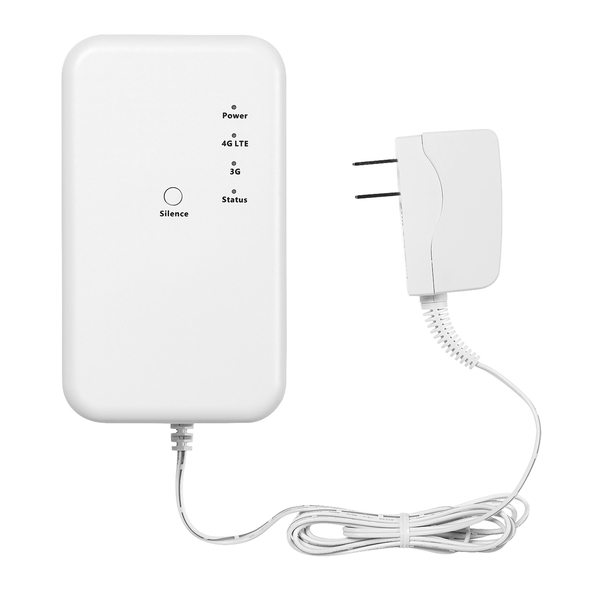
Today, February 22, 2022 is the official date for the AT&T 3G Sunset. As we've mentioned before, there isn't a big switch that gets turned off and then, "Poof!" no more 3G. If you still have an AT&T 3G communicator, it may continue to work for a while, but there is no way to know how long.

If you're just becoming aware of the AT&T 3G Sunset because you have a security panel that you haven't been paying much attention to for a while, then you probably are seeing some type of error, and possibly hearing some annoying beeping. Some of the more common error messages are shown further down in this post. The thing to keep in mind is that your alarm panel wants to be sure that you know there's a problem. So, if you just press the touchscreen, or press any button on the keypad, that should stop the beeping, at least temporarily.

If you know the arming/disarming code for the system, enter it if prompted on a touchscreen panel, or if you're on a VISTA panel, just enter your 4-digit code and then press the OFF or 1 Key. This will acknowledge the trouble condition and stop the beeping on a more permanent basis, though in some cases, it may come back after a period of time. If you don't know a valid code for the system, then you will likely need to shut down your system by unplugging the transformer and the battery. If you're interested in putting your system into service keep reading to see how Alarm Grid is helping out in this situation.

If you find yourself in the unenviable position of needing to replace an AT&T 3G communicator, but you haven't done so yet, don't panic. The AT&T 3G network is vast and complex. It's not something that you can simply turn off. The process of sunsetting 3G equipment will take a bit of time. So, if after today your 3G communicator still works, you're one of the lucky ones. You've been given a slight reprieve. However, there is no way for us to know how long that reprieve will last, so decide what you're going to do, and do it now.

One ongoing problem that we've seen recently is supply chain issues. Maybe you've been trying to upgrade for the past six (6) months, but the communicator or system you need hasn't been available. Communicator manufacturers have been rolling out LTE Cat-M1 communicators in the absence of available components for standard LTE.

LTE Cat-M1 is the cellular network that was created for Internet-of-Things (IoT) use. It has lower power consumption, better range, and the modems used for it have a smaller form factor. The trade-off is lower bandwidth. However, the amount of data being transmitted by alarm communicators is very low compared to voice and data used for a traditional phone, so the difference in bandwidth isn't noticeable. Happily, the components to make LTE Cat-M1 communicators appears to be readily available, so those communicators have been coming into stock in the past months and continue to become available.

Some of the available AlarmNet LTE Cat-M1 communicators are listed below. These communicators are all compatible with the VISTA panels. The LTEM-PA and LTEM-PV are also compatible with the DSC PC1616, DSC PC1832, and DSC PC1864 and the Interlogix NX Series panels. For the Interlogix NX Series, the PRODCM is also required:

  • LTEM-PA - Dual-path IP and AT&T LTE Cat-M1 communicator with the ability to add a traditional LTE communicator if needed. First communicator to allow non-Honeywell panels to use Total Connect 2.0.
  • LTEM-PV - Dual-path IP and Verizon LTE Cat-M1 communicator with the ability to add a traditional LTE communicator if needed. Along with the LTEM-PA can allow non-Honeywell panels to use Total Connect 2.0.
  • LTEM-XA - AT&T LTE Cat-M1 Communicator for VISTA Panels.
  • LTEMXA-TC2 - AT&T LTE Cat-M1 Communicator for VISTA Panels. Includes upgrade chips for VISTA-15P and VISTA-20P panels, allowing them to support Total Connect 2.0.
  • LTEM-XV - Verizon LTE Cat-M1 Communicator for VISTA Panels.
  • LTEMXV-TC2 - Verizon LTE Cat-M1 Communicator for VISTA Panels. Includes upgrade chips for VISTA-15P and VISTA-20P panels, allowing them to support Total Connect 2.0.
  • LTEM-IA -COMING SOON - AT&T LTE Cat-M1 Communicator with RJ45 Port for Ethernet. Currently in Beta.
  • LTEM-PIA - AT&T LTE Cat-M1 Communicator with RJ45 Ethernet port. Listed for UL-985 Household Fire.
  • LTEM-PIV - Verizon LTE Cat-M1 Communicator with RJ45 Ethernet port. Listed for UL-985 Household Fire.

Some of the available Alarm.com LTE Cat-M1 communicators are listed below. Compatibility is listed with each communicator:

  • Alarm.com ADC-SEM210-PS-AT-M - COMING SOON - Dual-path AT&T LTE Cat-M1 and ethernet capable communicator for use with legacy DSC Power Series panels (PC1616, PC1832, PC1864).
  • Alarm.com ADC-SEM210-PS-VZ-M - COMING SOON. - Dual-path Verizon LTE Cat-M1 and ethernet capable communicator for use with legacy DSC Power Series panels (PC1616, PC1832, PC1864).
  • Alarm.com ADC-SEM300-VT-AT-M - COMING SOON. - Dual-path AT&T LTE Cat-M1 and ethernet capable communicator for use with Honeywell VISTA (non-polling loop) panels (VISTA-10P, VISTA-15P, VISTA-20P, VISTA-21iP manufactured in 2005 or later).
  • Alarm.com ADC-SEM300-VT-VZ-M - Dual-path Verizon LTE Cat-M1 and ethernet capable communicator for use with Honeywell VISTA (non-polling loop) panels (VISTA-10P, VISTA-15P, VISTA-20P, VISTA-21iP manufactured in 2005 or later).

Panel Cellular Communicator Trouble Condition Messages

If you are affected immediately by the AT&T 3G shutdown, you may see one of these error messages on your system:

  • Check 103 ####: - You may see this on a non-polling VISTA panel, such as the VISTA-20P, but only if you have an Alpha Keypad like a 6160. The #### will be a 4-digit number. It may be 4005, which indicates that the communicator has lost connection with AlarmNet. The exact 4-digit code will depend on whether there are any other trouble conditions existing on the communicator at the time the message is displayed.
    *If you have a VISTA panel, choose from any of the communicators listed above for VISTA panels. The VISTA-21IPLTE can use the LTE-21V. The only way to update an original VISTA-21iP is to add an external communicator and disable the internal one. The prior link is an FAQ on how to do just that. The same rule about possibly downgrading to an IP only plan mentioned under the bF message applies here too.
  • bF, or it may look like 6F: - This is supposed to be a bF, which stands for Backup Failure, as in backup communicator. This message means the same thing as Check 103, but will be displayed on a non-alpha keypad like a 6150. If this is the only type of keypad you have, then this is all the information the panel and the communicator can give you. If you get this message after 02/22/22 and your AT&T 3G Communicator has been fine until then, you're not one of the lucky ones. You should look to upgrade your communicator ASAP. *Or, if you have a dual-path communicator and an IP connection is available near it, you could downgrade to an IP only plan for now, and upgrade to LTE at a later time. Just bear in mind, if you go IP only, when the internet is out, your panel's ability to communicate is out. This is usually the case during power outages. The above rule about upgrading the communicator under the Check 103 message also applies here.
  • Fault 103: - This may also show as a Check 103, then display as a Fault 103 after you silence the panel. This is what you see on the Honeywell L3000 panels when there is a problem with the communicator. Losing connection due to the 3G Sunset would cause this error code. There is not a good IP only option for the L3000 currently available. You can use a 7847-I, but it is a messy installation. You can also use the 7847I-L, if you can find one, they are discontinued.
  • 103 Comm. Trouble: - The Lynx Touch Panels will display something along these lines. The icon and message may differ slightly, but the gist is the same. This is what you'll see on these panels if you're affected by the AT&T 3G shut down.
    • Honeywell LTE-L57A: - AT&T LTE Communicator for Lynx Touch panels. Important! There may be panel firmware revision restrictions with your panel and either of these communicators. Read the product description very carefully to be sure your panel is on the correct version for the communicator you choose. If you need to update the panel, you can do so with the Honeywell LYNXTOUCH-MSD Firmware Update Tool. It is compatible with the L5200, L5210, and L7000.
    • Honeywell LTE-L57V: - Verizon LTE communicator for the Lynx Touch panels. See the Important note above about panel firmware version limitations.
  • ⚠ 950 Comm. Trouble: This is the message displayed on a Lyric Controller if it has a cellular communication path, and it loses contact with AlarmNet on that path. This is what you will see if the AT&T 3G shutdown has caused your communicator to go down. There may be other messages in the status bar at the top of the screen as well, having to do with Comm Failure and potentially other conditions, depending on what's happening with your panel at the time.
    • Honeywell LYRICLTE-A - AT&T LTE Communicator for Lyric. Firmware Revision v01.03.06548.482 or higher required!
    • Honeywell LYRICLTE-V - Verizon LTE Communicator for Lyric. Firmware Revision 1.09 (aka MR9) or higher required!

  • Check 8##, ####: - You may see this message on a VISTA-128 or VISTA-250 panel. Devices connected to the keypad bus can be supervised for a connection to the panel, and for a tamper condition where applicable. The AT&T 3G Communicator can also be supervised for communicator troubles, such as a loss of connection to AlarmNet. If supervision is enabled (and it is not enabled by default) then when the 3G Sunset affects the communicator, the panel will display a Check or Trouble (based on programming) 8 + the 2-digit number of the address. So, if the communicator is assigned to address 03, and supervision is enabled, it will display as a Check or Trouble on Zone 803 plus the 4-digit communicator status code associated with the condition when you have the proper keypad to display it. If the only problem is a loss of network connection, then the 4-digit code should be 4005. Supervision is enabled by enabling the associated 800-zone with a trouble zone type, such as 05, Trouble by Day/Alarm by Night.
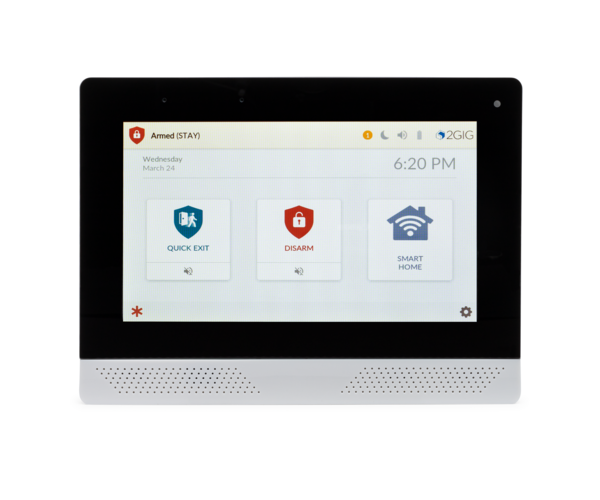
  • 2GIG GC2 and GC2e Displays Trouble Icon and beeps 6 Times per minute until the trouble condition is acknowledged: This is the behavior of the 2GIG GC2e and presumable the 2GIG GC2 as well. The Security Screen will show a Yellow button with an exclamation mark and a number. When you press the button, it will take you to the Trouble Display screen where you can scroll through the trouble conditions, and you may click on the communicator trouble then press OK. This will stop any beeping, but the display will continue to show trouble until the condition is cleared. In the case of the AT&T 3G Sunset, this means upgrading the communicator.


    • 2GIG LTEA-A-GC2: - Alarm.com compatible AT&T LTE Communicator for 2GIG GC2 and 2GIG GC2e. Important! Be sure to check for any panel firmware version requirements associated with either of these LTE communicators for the 2GIG GC2 and GC2e panels.
    • 2GIG LTEV1-A-GC2: - Alarm.com compatible Verizon LTE Communicator for 2GIG GC2 and 2GIG GC2e.
  • 2GIG GC3 and GC3e Message LED is lit and the panel chimes at ten-second intervals until the condition is acknowledged: The behavior for the cellular communicator losing connection to the AT&T 3G network on a 2GIG GC3 or GC3e depends somewhat on panel programming. In Q30, you set the amount of time that is allowed to elapse with no communication to the server before a trouble condition is indicated. The default is 30 minutes. A 0 in this field disables the supervision feature. The maximum entry is 255 minutes. Q31 also determines whether the radio network failure causes a trouble condition on the panel. This is enabled by default, but if disabled, you will have no visible indication if you are affected by the AT&T 3G sunset. Q32 is radio network failure reports. This is enabled by default and determines whether the panel reports the radio failure to the monitoring station (assuming it is able to do so with the radio down, the panel would need to be utilizing the WIFI communication path for this to be possible.)
    • 2GIG LTEA-A-GC3: AT&T LTE Communicator for the 2GIG GC3 and GC3e panels. The panel must have Firmware Version 3.2.3 or higher to support this communicator.
    • 2GIG LTEV1-A-GC3: Verizon LTE Communicator for the 2GIG GC3 and GC3e panels. The GC3 or GC3e must have Firmware Version 3.1.3 or higher to support this communicator.

Alarm Grid Is Here To Help!

If you're a current Alarm Grid customer and you have purchased an LTE communicator, but haven't switched over to it yet, please send an email to support@alarmgrid.com. In the subject line, be sure to put "I Need an LTE Upgrade". We'll reach out with further instructions and either a link to schedule your upgrade, or information as to what we need to begin your upgrade. Lyric and Lynx Touch users may be able to get upgraded with no appointment, where a VISTA user may require an appointment as those communicator swaps are a little more intricate.

If you purchase an LTE communicator or an upgrade kit from Alarm Grid, we will credit your monitoring account in the amount of the communicator or upgrade kit. If you purchase more than $150 in product, we'll also offer you free ground shipping, so if you've been thinking of adding a doorbell camera, or other products to your system, now may be a good time. The cost of products not associated with the communicator or system and communicator upgrade will not count toward free monitoring though.

If you have the ability to switch to an ethernet or WIFI connection only, you can choose to do that and your monthly monitoring fee will go down. You can purchase an IP or WIFI communicator strictly for that purpose. You may have that option with your existing panel and you just aren't using it, or maybe you were using dual-path monitoring, but now the cellular portion of your 3G communicator has stopped working. Whatever the case, if your communicator or panel supports the option for an IP-only connection, we will be glad to downgrade your service plan permanently, or until you can get the LTE upgrade. But be aware, Alarm.com customers do not have an option for IP-only monitoring.

If you're not a current Alarm Grid customer, never fear, you can get exactly the same deal as existing customers. If you purchase an LTE communicator from us or a kit with a panel and LTE communicator and you then sign up for monitoring with us, we'll give you credit toward free monitoring in the amount of the purchase for the communicator or communicator and panel. Once again, purchases over $150 will have free ground shipping, but any sensors or other devices that you purchase will not count toward free monitoring.

If you have any questions, feel free to reach out to us at support@alarmgrid.com. Our support hours are Monday - Friday from 9:00 am - 8:00 pm Eastern. We will help in any way that we can to get you through this transition. Your safety and peace of mind is our top priority.

Tags: , , , , , , , , , , , , , , ,

Comments


Posted By

We told you in 2020 how the Total Connect 2.0 app for Android could support Google Assistant voice commands. This feature allowed you to use your voice to control your system, but only through your phone. Now, the ProSeries panels, including the PROA7PLUS, can fully support Google Assistant.

What this meant back then was that there was nothing to download. Once the feature was enabled on your phone, a blue microphone icon would appear at the bottom of the Total Connect 2.0 app screen. When you pressed it, you could use your voice to check system status, and to arm or disarm the system. Now, with the latest Total Connect 2.0 release, you can actually set up TC2 within Google Home, and control your system from any Google Home capable device you have connected to your account.

Another improvement is the fact that this functionality is now available to both Android and iOS users. On either platform, make sure you have the Google Home app and then follow the steps to configure the Total Connect 2.0 skill within it.

Below is the Google Home App as seen in the Apple App Store:


The ProSeries panels include the Honeywell Home PROA7 and Honeywell Home PROA7PLUS and the Resideo PROA7C and Resideo PROA7PLUSC. Currently, these are the only Total Connect 2.0 compatible panels that support the improved Google integration. If you have one of the ProSeries panels, coupled with a Total Connect 2.0 account and you would like to take advantage of voice commands through Google Assistant, follow these steps:

  1. Open the Google Home App, then click the [Plus (+)] Icon at the top left of the main screen.
  2. Select, [Set up Device].
  3. Select [Works with Google].
  4. Search for [Total Connect] then select it.
  5. Use your Total Connect 2.0 login credentials to log into TC2 from the skill.
  6. Read the User Agreement and if you agree, press [Allow].
  7. Be sure the Security System icon is selected, then press [Connect].
  8. Click the [Pencil Icon] to assign the system to a room, then choose which room you'd like to add it to.
  9. Hit the [Back button] repeatedly until you reach the Home screen.
  10. You should now be able to query Google for system status, as well as arm the system to Away, Stay, or Night and Disarm the system using Google Assistant.

Important Update: We now have a full FAQ with a walk-through on how to set up the Google Home feature. This FAQ is applicable whether you're setting Google Home up using an Android or an iOS device running the Google Home App.

Voice control of automation devices is not yet available unless the automation is achieved through a scene tied to system arming or disarming. For example, if you have a scene that turns on the porch light when the system is armed to Away, and you use the Google Assistant to arm in this mode, then the porch light will come on once the system is armed.

Total Connect 2.0 also supports integration with Amazon Alexa, and has for a while now. The configuration is very similar between the two services. One difference between them is that Amazon Alexa is compatible with more different panel types. Most of the Honeywell Wireless All-in-One panels support it. This means that in addition to the ProSeries panels, the Lyric, Lynx, and even the VISTA panels all support being used with Amazon Alexa. As long as the panel is tied to a Total Connect 2.0 account.

To integrate Total Connect 2.0 with Amazon Alexa for voice control of any of the above panels, follow these steps:

  1. Open the Alexa App and search for the Total Connect 2.0 skill.
  2. Click [Enable]
  3. You will be prompted to enter your Total Connect 2.0 login credentials. Enter them, then hit [Login]
  4. You will see a User Agreement, read through it, and if you agree click [Allow].
  5. Make sure the Security System icon is selected, then click [Connect].
  6. A screen should appear showing "Total Connect 2.0 has been successfully linked".

Once the above steps have been completed, log into the Total Connect 2.0 app and go to the Profile Page. Under the Access section, be sure that your user code has been saved and synched with the panel. If this isn't done, Amazon Alexa won't function properly. In the past, we've made FAQs for integrating some different panels with Amazon Alexa. You can find links to those FAQs below:

How Do I Connect My Lyric Alarm System to Alexa?

How Do I Connect My VISTA-21iP to Alexa?

Resideo Official Instruction Sheet on Integration

Tags: , , , , , , , , , , , , , , , , , , , , , , , , , , , , , , , , , , ,

Comments


Posted By

It's the most wonderful time of the year, and we'd like to take this opportunity to wish all of you a Happy, Safe, and Healthy Holiday Season! Regardless of which of several holidays or traditions you observe, we at Alarm Grid hope this season finds you surrounded by loved ones and festivities.

The Alarm Grid team will be celebrating the holidays starting at 6:00 pm on Thursday December 23, 2021. Our offices will close at that time, and will reopen on Monday, December 27, 2021. During the time our office is closed we won't be here to answer support phone calls or emails.

Our central station partners, of course, will be available during this time. All signals sent by your Alarm Grid monitored alarm system will be handled as usual. If you need to contact the central monitoring station, to cancel a false alarm or verify a signal, customers in the US can contact Criticom Monitoring Services (CMS) by dialing (888) 818-7728 and choosing Option [9].

Canadian customers can contact Rapid Response at (800) 932-3822. Remember when you call either monitoring station, you will be asked for your name, address, and your false alarm password or phrase. Providing incorrect information when asked, will result in the dispatch of authorities.

If you have a support question, or need to make adjustments to your account, the monitoring station cannot assist you with that type of request. In that case, send an email to support@alarmgrid.com with details of your request and we will begin to address these support issues as soon as we return to the office on Monday, December 27.

As we prepare to say goodbye to 2021, we want to say thank you to our customers. Thank you for trusting us with your safety and security. It is a privilege that we don't take lightly. Relax, and enjoy this time with your family and friends.

Tags: , , , , ,

Comments


Posted By

Qolsys IQ Panel 2 equipment that uses an AT&T LTE Cellular Communicator requires a firmware update prior to the AT&T 3G sunset date of 02/22/22. Without this update, these devices will lose their connection to the cellular network. The update can be performed over WIFI, or by using an SD Card

If a WIFI signal is available in the location where the Qolsys IQ Panel 2 is installed, but the panel is not currently connected to it, there are a few different ways to connect:

  1. Locally: The connection can be made at the panel using the touchscreen. Instructions for connecting to WIFI locally can be found here.
  2. By dealer remotely: Alarm.com dealers, like Alarm Grid, can use the Partner Portal to connect the panel to WIFI. This is found on the Partner Portal website under the Signaling/Broadband Settings.
  3. By user remotely: Starting on 12/13/21, Alarm.com is enabling a tool that allows an end-user to connect the panel to WIFI through the Customer Alarm.com App or Alarm.com Website.

In order for the customer to connect their panel to WIFI using the customer app they will click on: Menu > Manage Devices > Select the 3-dots icon next to the panel's name > Select Device Settings > Select Panel WIFI. From there the user can either choose an existing camera to copy that device's WIFI settings, or select the SSID and complete the authentication process. Once the connection to WIFI is made, the communication path will be changed from Cell-only to Dual-Path. This may be useful for panels installed in locations where the building is not always occupied.

Starting on Monday, January 10, 2022 Alarm.com will begin to automatically deploy the firmware update to any WIFI connected panel that has not already received it. The automatic update process will proceed through the queue of needy panels 7 days per week during daytime hours (8am - 8pm panel time). As part of the update, a system reboot will occur.

In some cases, the panel's firmware may require an update before the cellular firmware update can be implemented. Panels that are on version 2.3.0 or lower must update to a minimum of 2.3.1 or higher. Panel firmware updates on panels that have a WIFI connection can also be performed locally from the panel with a Patch Tag, or can be done remotely via Alarm.com's Partner Portal. Once the panel's firmware is on a compatible version (see the link in the paragraph below) the cellular firmware can be installed using the patch tag: ATT3GSunset

For panels that have no WIFI connection available, the Qolsys IQ Panel 2 can be updated locally using a Micro SD Card. The upgrade files, as well as instructions on how to perform the local upgrade are available on Alarm Grid's Qolsys IQ Panel 2 Plus Firmware Update page. Eventually, Qolsys will also make the cellular firmware update patch available for download and install via Micro SD. Once they do, we will also host it on our site. As of 12/10/21, it is not yet available.

This issue only affects AT&T LTE Cellular units. Verizon units are not affected. This issue is occurring because early Qolsys AT&T units used a provisional VoLTE Firmware Version. This later changed when VoLTE was fully released. Since the difference between the provisional firmware and the released version didn't affect a panel's ability to communicate via cellular, no action was required before. If you are unsure whether your panel requires the update or not, contact your alarm dealer. They will be able to verify this information for you, as this information is only available when checked through the Partner Portal Website, and is not available from the Alarm.com Customer App or Website. Read the full Qolsys Technical Service Bulletin here.

Tags: , , , , , , , , , , , , , , , , , , , , , , , ,

Comments


Posted By

Users of the Lyric Alarm System with an LYRICLTE-A AT&T LTE Communicator installed take note. Resideo has identified an issue where, after the AT&T 3G sunset on 02/22/22, any panel not properly updated will lose its connection with the cellular network. This issue does not affect Verizon units.

The firmware version that resolves this issue is 01.09.07772.494, and it is available now on the Resideo AlarmNet360 servers. The issue at play here is that the AT&T cellular communicator currently falls back on the 3G network when it can't connect to LTE. Once an LYRICLTE-A communicator is registered, it looks for both an LTE signal and a 3G one. Without this critical firmware update, these communicators would continue to look for a 3G signal after the 3G sunset. Being unable to find a 3G signal, they will lose connection and go offline.

Users who find themselves in this situation have a few options. If you are a Lyric Alarm System user with the AT&T LTE communicator installed, you can choose to go ahead and manually update your system now. The system needs to be disarmed and have no trouble conditions present in order for the firmware update to go through, so a manual update allows you to choose a time when it is disarmed and ready. It also allows you to confirm that the update was successful after you see your panel reboot.

Since this is a critical update, AlarmNet will begin automatically updating panels that are affected by this issue starting on December 8, 2021. Since a firmware update can only go through when the panel is disarmed with no troubles, any users with a zone trouble, or a low battery message that they have been putting off correcting, should go ahead and take care of the issue. Once all trouble conditions are clear and the system is disarmed, we recommend that you go ahead and manually perform the firmware update. Instructions for updating are linked above.

If your system is automatically updated, it will reboot as part of the update process, so don't be alarmed if you see this happen. Step 3 in the FAQ on updating the panel linked above shows you how to confirm the panel's firmware version. So, if you see your panel reboot you can verify that an update was successfully completed.

Any Lyric Controller with a LYRICLTE-A AT&T LTE Communicator that is being installed on or after 02/22/22 will need to be updated to firmware version 01.09.07772.494 via the built-in WIFI communicator before the LYRICLTE-A will work properly. The firmware update should be completed prior to the installation of the LYRICLTE-A. The LYRICLTE-V Verizon LTE Communicator is not affected by this issue. You can read the full notice from Resideo here.


Tags: , , , , , , , , , , , , , , , , , , , ,

Comments


Posted By

From all of us at Alarm Grid, Happy Thanksgiving! We send you good wishes for a healthy and happy day with your friends and family. Whether you celebrate Thanksgiving, Friendsgiving, or just Giving Back we hope you stay safe and warm. Be sure to arm your security system, and lock your doors.

We at Alarm Grid understand the importance of spending time with loved ones, so we will be closed on Thanksgiving to give our employees the opportunity to celebrate. Of course, our central monitoring stations will both be available to handle any alarm signals that may be sent by our customer's systems. If you need to contact the monitoring station, to report a false alarm or put your system on test, you can call Criticom Monitoring Services (CMS) at (888) 818-7728 and choose Option [9]. This is the process for customers inside the United States.

If you are a Canadian Alarm Grid customer, then you will contact Rapid Response, our monitoring partner in Canada at (800) 932-3822. Remember, when you call you will be asked for your name and address, and to verify your false alarm password or phrase. Providing the wrong information, or the Duress Password will result in a police dispatch.

If you have a support question, or need to make adjustments to your account, the monitoring station won't be able to assist you with that. In that case, send an email to support@alarmgrid.com with your request and we'll get back with you as soon as possible when we return to the office on Friday, November 25.

As we begin the 2021 holiday season, we give thanks for our health, our employees, but most of all for our wonderful customers. It is truly our pleasure to help you keep your family and your property safe and secure.

Tags: , , , , ,

Comments


Posted By

Qolsys TSB #211022 indicates that the Qolsys IQ Panel 2 Plus, PowerG and 319.5 MHz version with any communicator has been discontinued. All kits containing these versions have also been discontinued. The IQ Panel 4 PowerG and 319.5 MHz panel is the appropriate replacement in this instance.

Currently Alarm Grid offers the Qolsys IQ Panel 4 Verizon LTE, Interlogix/GE Compatible 319.5 MHz Wireless Alarm Panel w/ PowerG, and the Qolsys IQ Panel 4 AT&T LTE, Interlogix/GE Compatible 319.5 MHz Wireless Alarm Panel w/ PowerG. Both versions will eventually be offered in Black or White color variations, but at this time only the White variation is available.

This announcement is only for the Interlogix/GE compatible panels that support legacy RF in the 319.5 MHz frequency. The other variations of the IQ Panel 2 Plus, those that support 345 MHz Honeywell and 2GIG legacy RF, and 433 MHz DSC legacy RF sensors are still available at this time. This is because production for the IQ Panel 4 versions of these panels has not yet begun.

Per Qolsys, the IQ Panel 4 PowerG and Honeywell/2GIG compatible panels that support 345 MHz legacy RF sensors are beginning production this week. As supply ramps up, the Qolsys IQ Panel 2 Plus that supports this legacy RF frequency will be phased out. We expect this to begin happening in the near future. Production of the IQ Panel 4 for the DSC compatible panels that support 433 MHz legacy RF sensors will begin production in early December, with a similar phase out of those IQ Panel 2 Plus models soon to follow.

As with the IQ Panel 2 Plus, each Qolsys IQ Panel 4 will support PowerG in addition to one (1) legacy RF frequency. In addition to choosing a panel based on the RF frequency to be used, the user will also want to choose the panel with the built-in cellular communicator that will have the best signal strength and quality in the location where the panel will be installed. This can match the carrier for the user's cell phone, but that is not a requirement. When deciding which cellular carrier to choose, base the decision solely on cellular coverage. Billing for the panel's cellular communicator will be included in the monthly monitoring service charges.

The legacy RF frequency built-in to the IQ Panel 4 is intended to make it easy to replace an existing alarm panel from a different manufacturer. By choosing the IQ Panel 4 that supports the wireless frequency for sensors that are already installed in a location, a user can save a lot of money by not having to buy all new sensors. You get the benefit of an all new, feature-rich alarm panel without the expense, not to mention the time and trouble saved, of replacing existing sensors that still work.

Were you thinking of purchasing a Qolsys IQ Panel 2 Plus in the 319.5 MHz "flavor"? If you were, you can purchase the IQ Panel 4 instead. This panel currently has the exact same User Interface (UI) as the IQ Panel 2 Plus, so the user experience will not differ. We expect the IQ Panel 4 to get a facelift in the near future, with the end-user having the choice of whether they want to use the new interface, or stick with the legacy one. The new UI is supposed to be very similar to the Alarm.com layout. If you have any comments, please leave them below. As always, we look forward to hearing from you!

Tags: , , , , , , , , , , , , , , , , , , , , , , , , , ,

Comments


Posted By

Alarm Grid has obtained an extremely limited supply of the brand new Resideo IPCAM-WOC2 WIFI, outdoor, 1080p camera, compatible with Total Connect 2.0. After the announcement in March, 2021 that the IPCAM-WOC1 was discontinued, Resideo and Honeywell Home were left with no outdoor camera option.

Our blog in March announced that the Honeywell IPCAM-WOC1 would be discontinued. At the time, we didn't know why the camera was being discontinued. There wasn't a lot of information available then about why it was discontinued, or whether there would ever be a replacement. With Alarm.com releasing new variations of their cameras at a fast and furious pace, we were left to wonder what Resideo was thinking.

In July, 2021, we passed on to our readers that either the IPCAM-WOC1 (also sometimes referred to as the Lyric OC1) would make a return, or if not a return, that it would possibly be replaced with something very similar. It came to light that the reason the outdoor camera had been discontinued in the first place was that certain components involved in its production were no longer being produced.

Resideo was unable to source those same components elsewhere, so they are preparing to release the IPCAM-WOC2. This camera is technically not even released yet, so we don't have official documentation, with the exception of a Quick Install Guide, which frankly, contains several errors. For starters, we know for a fact that the image of the camera and its components used in the guide is incorrect. This document, much like the camera itself, will soon be receiving a face lift.

Some of the things that we know are updated in the IPCAM-WOC2, as compared to the IPCAM-WOC1 are: The Bluetooth Antenna is internal on the IPCAM-WOC2. It was external (part of the big wiring bundle) on the IPCAM-WOC1. The WOC2 will support Audio Analytics, with intelligent sound detection. The WOC1 did not support audio. The IPCAM-WOC2 comes with a 16 GB MicroSD card pre-installed, the IPCAM-WOC1 came with a 8 GB card. These are just a few things that we know about, when the full specs are released, we will update our product description with the full gamut of features and specifications.

If you've been waiting to get your hands on an outdoor 1080p camera that's compatible with Total Connect 2.0, now is your chance to pick one up. Given all the supply chain issues revolving around the global chip shortage, this is one of a handful of products that we know is currently in stock. But you had better hurry, because supplies are extremely limited. Once the units we have in stock are gone, we will likely have to wait for the full product release before we can offer any more.

Tags: , , , , , , , , , , , , , , , , , , ,

Comments


Posted By

We've actually heard this before. In December of 2020, we reported that Alarm.com would begin phasing out support for Edge Legacy in February of 2021, with support for that browser ending in April. However, apparently, those plans were thwarted and the new deadline is now on the horizon.

So, what is Edge Legacy, anyway? Well, when Windows 10 first launched back in 2015, Edge Legacy, then called Microsoft Edge was a part of that browser package in the same way that Internet Explorer had always been a part of the prior Windows releases. The original Edge was a HTML-based browser that Microsoft hoped would change the game for them, however, it was universally panned. I think I speak for everyone when I say, "Hated it!"

In January, 2020, Microsoft re-launched Microsoft Edge. This new version is built on Chromium, which is an open-source browser platform that was originally launched by Google, and serves as the backbone of Google Chrome as well as Opera, and Vivaldi. Since it's open-source, anyone can take it and make what they want with it.

Now that Microsoft has "embraced" Chromium, all modern browsers use open-source base platforms. Also, the use of Chromium means that the new Edge works with Chrome extensions. One of the big changes with Microsoft Edge is that it gets updated regularly and automatically, as opposed to updates being rolled out bundled with Windows updates. Microsoft stopped supporting Edge Legacy as of March 9, 2021.

So, back to Alarm.com and their announcement. Beginning Monday November 1, 2021, if a user logs into Alarm.com using either the Edge Legacy or the Internet Explorer 11 (IE11) browser, they will receive a pop-up message suggesting that they switch to a more up-to-date browser. They will continue to be able to log in using the current browser for the next two (2) months. After two (2) months, January 1, 2022, Edge Legacy and IE11 will no longer be supported for use with Alarm.com.

It is suggested that users choose Google Chrome, Mozilla Firefox, Apple Safari, or Microsoft Edge (the newest version) when accessing Alarm.com. Any of these compatible browsers on the most current version should provide a good, quality user experience when using Alarm.com. If you're not sure whether you have the Edge Legacy browser, or the Microsoft Edge browser, you can see the difference in the logos below.


So, what do you think about this announcement? Will it affect you or anyone you know? Some users, those that are resistant to change, may run into some issues with this. If you happen to be the technical support friend or relative everyone calls when they have a problem, you may hear about it. Let us know what you think in the comments below. We enjoy a robust dialogue with our customers!

Tags: , , , , , , ,

Comments


Posted By

Update: All US versions of the Qolsys IQ Panel 4 are now available, and the links for each panel type, along with a description of each, are available below!

Qolsys announced several new products at ISC West in August. However, product availability, including for the IQ Panel 4, has been nil. We now have one iteration of the panel that has limited stock available. The Qolsys IQ Panel 4 with Verizon LTE and Interlogix/GE SRF support in White.

The Qolsys Roadmap for product releases got a little rocky this year. We expected the Qolsys IQ Hub in the late Spring, with the Qolsys IQ Panel 4 to be released in the late fall. That's understandable with all the things that have been going on. What with the COVID-19 Pandemic, and the recent global chip shortage, we consider ourselves fortunate to be seeing stock on existing products, let alone newly announced ones.

At this time, we have limited stock available on one specific version of the Qolsys IQ Panel 4. This is the panel with built-in WIFI, a Verizon LTE cellular communicator, and support for both PowerG and Interlogix/GE and Qolsys 319.5 MHz wireless devices with the panel in White. Eventually, there will also be another version with these exact same specifications, but with the panel in Black.

As the rollout continues, and the component availability and manufacturing bottleneck abates, we will eventually see several other variations of this panel become available. You can see a list of all of them below:

Qolsys IQ Panel 4 Variations

SKU Product Description Available Date
IQP4001 IQP4, Verizon-LTE, PowerG+319.5 MHz, White Available Now
IQP4001BLK IQP4, Verizon-LTE, PowerG+319.5 MHz, Black Discontinued
IQP4004 IQP4, AT&T-LTE, PowerG+319.5 MHz, White Available Now
IQP4004BLK IQP4, AT&T-LTE, PowerG+319.5 MHz, Black Discontinued
IQP4003 IQP4, Verizon-LTE, PowerG+345 MHz, White Available Now
IQP4003BLK IQP4, Verizon-LTE, PowerG+345 MHz, Black Discontinued
IQP4006 IQP4, AT&T-LTE, PowerG+345 MHz, White Available Now
IQP4006BLK IQP4, AT&T-LTE, PowerG+345 MHz, Black Discontinued
IQP4002 IQP4, Verizon-LTE, PowerG+433 MHz, White Available Now
IQP4002BLK IQP4, Verizon-LTE, PowerG+433 MHz, Black Discontinued
IQP4005 IQP4, AT&T-LTE, PowerG+433 MHz, White Available Now
IQP4005BLK IQP4, AT&T-LTE, PowerG+433 MHz, Black Discontinued

If you click on any of the links above for products that aren't yet available, they will show up as discontinued on our site. Once they become available, we will blog again, and those links will become live. This way, you can come back to this post at any time and check availability on whichever panel variation you happen to be interested in.

In addition to the options shown above, the Qolsys IQ Panel 4 currently uses the same User Interface (UI) as the Qolsys IQ Panel 2 Plus. Eventually, they will offer a new look, and users will be able to choose between the new or the existing look. The panel has an 8 MP camera, which can be adjusted for tilt, increased signal range for all wireless cards that are built into the panel, more advanced speakers, three microphones, and many more hardware upgrades.

For those who may not know, Qolsys sought to make it easy to replace an existing panel that uses wireless sensors, without having to replace all of the sensors as well. So if you currently have an older Qolsys panel, or an Interlogix or GE panel, all of which used 319.5 MHz wireless sensors, then you would want to choose the corresponding Qolsys IQ Panel 4 in the color, and with the cellular communicator that best suits your needs.

Honeywell 5800 Series and 2GIG wireless both use 345 MHz wireless sensors. 2GIG has a lineup of encrypted sensors that also operate at 345 MHz, and those sensors will NOT be compatible with the Qolsys IQ Panel 4 that supports this frequency, but most other uni-directional 345 MHz wireless devices that work with either of these two product lines should also work with the Qolsys IQ Panel 4.

Older DSC panels used wireless sensors in the 433 MHz range. As you can see from the chart, there will also be a version of the IQ Panel 4 that supports these devices. DSC is also the manufacturer of PowerG wireless devices. All of the IQ Panel 4 variations will support PowerG. The idea being, once you replace the older panel, and begin to utilize the older RF sensors with the new Qolsys IQ Panel 4, if you need to replace the older devices, you can choose to replace them with the same older model sensor, or you can replace them with a PowerG version, which supports 128-bit AES encryption, and will have a range up to 4,000 feet with the IQ Panel 4. You can read all about why we love PowerG so much in this earlier post.

Qolsys released an RF Compatibility Document for firmware version 2.6.0. Both the Qolsys IQ Panel 2 Plus, and the IQ Panel 4 will use this firmware. This is the base version for the IQP4, so any devices listed on this document as compatible have been tested by Qolsys engineering and are known to work. Uni-directional devices (those that only transmit to the panel, but don't receive any information from the panel) that are not on the compatibility list may or may not work. Bi-directional devices such as the Honeywell 5800RL, 5800WAVE, or 5828 will definitely NOT work.

Unencrypted IQ Panel 4 Kits from Alarm Grid:

Encrypted IQ Panel 4 Kits from Alarm Grid:

Tags: , , , , , , , , , , , , , , , ,

Comments